
After April 1st, the harmless jokes and pranks vanish, leaving your April Fools' Day doubts behind.
But scammers? They keep working.
Spring marks a prime season for cybercriminals. Not because teams are negligent, but because everyone's juggling tasks, slightly distracted, and moving at full speed. That's when deceptive schemes slip past, blending into everyday routines until damage is done.
Below are three active scams targeting not the naive, but diligent employees just trying to get through their workday.
As you review these, ask: Would my entire team stop to catch each one?
Scam #1: Fake Toll or Parking Fee Alerts
An employee receives a text:
"You have an outstanding toll balance of $6.99. Pay within 12 hours to avoid penalties."
The message references authentic toll systems like E-ZPass, SunPass, or FasTrak, matching the employee's state. The small fee seems normal, so during a busy day, they click the link and pay.
But the link is a trap.
In 2024 alone, the FBI logged over 60,000 reports of counterfeit toll texts, skyrocketing 900% in 2025. Cybercriminals created more than 60,000 fraudulent domains mimicking official toll websites—a sign of this scam's profitability. Some texts even target people in states without toll roads.
Why does this scam succeed? Because $6.99 seems harmless, and many people recently passed through tolls or parked downtown, making the message believable.
The key defense: Authentic toll agencies don't demand payment via text links. Smart organizations enforce strict policies: never pay through text messages. Instead, employees should visit official websites or apps directly and never reply to suspicious texts—not even with "STOP," as responses confirm active numbers and invite more scams.
Ease tempts users, but following trusted procedures protects them.
Scam #2: "Your File Is Ready" Phishing
This scam blends flawlessly into daily workflows.
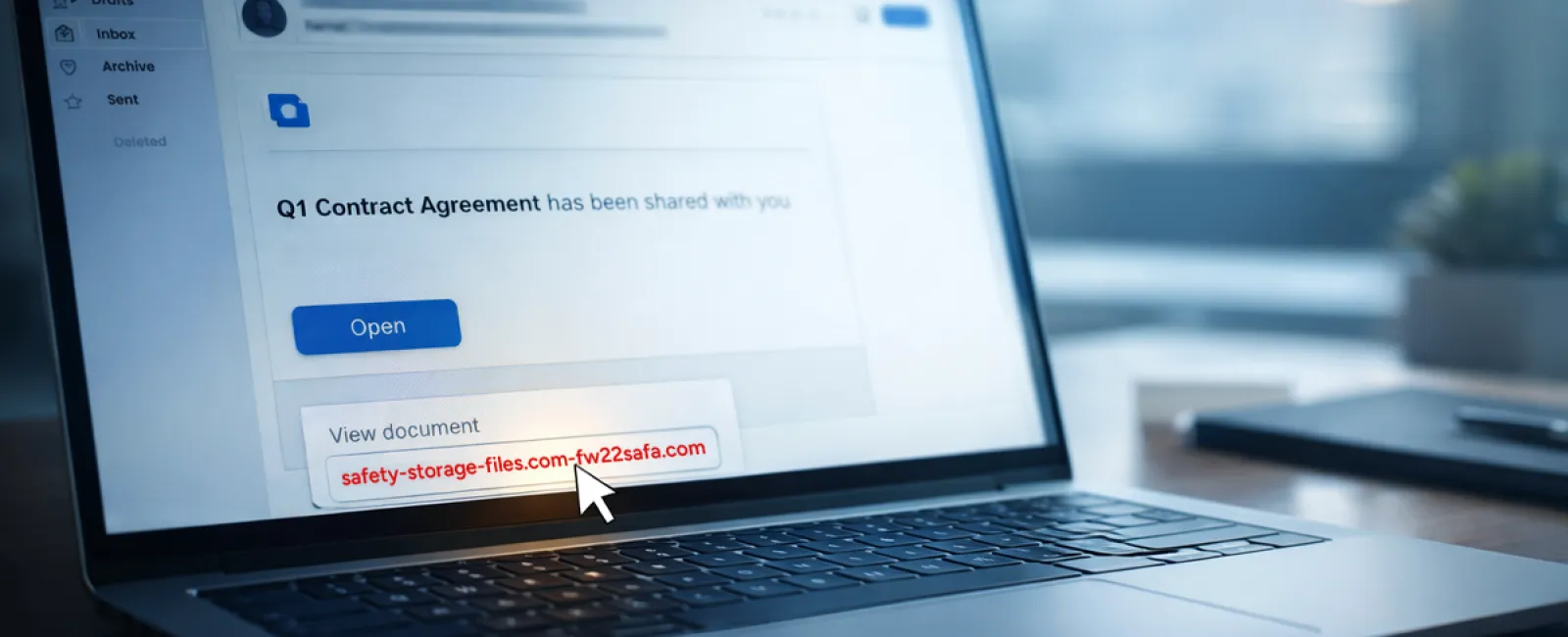
An employee gets an email that a file was shared—perhaps a contract via DocuSign, a spreadsheet on OneDrive, or a Google Drive document.
The sender appears legitimate, and the email layout perfectly mimics genuine notifications.
The employee clicks, prompted to log in, entering their credentials.
Now the attacker has those credentials, gaining access to your company's cloud system.
These attacks have surged dramatically. Phishing exploits using trusted services like Google Drive, DocuSign, Microsoft, and Salesforce jumped 67% in 2025, with Google Slides phishing links rising over 200% in six months.
Employees are seven times likelier to click links from OneDrive or SharePoint notifications than from random emails, because these messages look authentic.
Even more troubling: Attackers hijack legitimate accounts to send file-share notifications, coming directly from Google or Microsoft servers, bypassing spam filters.
Effective defenses: Train employees to avoid clicking unexpected file-share links in emails. Instead, they should log in directly through the platform to verify the file. Additionally, businesses should limit external sharing permissions and enable alerts for unusual login behaviors—configurations your IT team can handle swiftly.
Routine caution delivers powerful protection.
Scam #3: Flawless, AI-Crafted Phishing Emails
Gone are the days when phishing emails were easy to detect by poor grammar or odd formatting.
Today, AI-generated phishing messages achieve a 54% click rate versus only 12% for human-created ones, making them four times more effective. How? They look genuine—citing real companies, titles, and workflows sourced from LinkedIn and websites instantly.
These scams even target departments specifically: HR and payroll receive fake employee queries; finance gets fraudulent vendor payment requests. Recent tests reveal 72% of employees engaged with vendor impersonation emails—90% higher than other phishing types. These messages are composed professionally and appear urgent yet calm, just like a typical workday email.
Guardrails to prevent harm: Verify any requests related to credentials, payments, or confidential data via a secondary channel—phone, chat, or in-person. Encourage employees to hover over sender addresses to confirm domains before clicking. And train them to view urgency in emails as a red flag.
True security never forces panic-triggered clicks.
What It Really Boils Down To
These scams thrive on familiarity, authority, urgency, and the assumption that "this will only take a moment."
The real problem isn't careless staff; it's flawed systems that expect everyone to always pause, verify, and make perfect judgments under stress.
If a rushed click can disrupt your operations, that's not a people issue—it's a process problem.
Fortunately, process problems are fixable.
How We Can Support You
Most business owners don't want another project or become the cyber-awareness trainer.
They want peace of mind knowing their business isn't left unprotected.
If you're worried about your team's exposure—or know someone who should be—we're here to help.
Book a simple discovery call to discuss:
- Current cyber risks businesses like yours face
- How threats sneak in during normal daily tasks
- Practical ways to strengthen defenses without slowing workflow
No pressure, no gimmicks—just straightforward conversation to spot and solve potential vulnerabilities.
Click here or give us a call at 303-415-2702 to schedule your free 15-Minute Discovery Call.
If this message isn't relevant to you, please share it with someone who might benefit. Sometimes recognizing a scam transforms "almost clicked" into "blocked in time."


